

A wobbling ceiling fan is more than just an annoying visual distraction and a source of clicking noises—it can also be a safety hazard and lead to unnecessary wear on the DC motor.
Whether you’ve just purchased a sleek new modern LED ceiling fan or are looking to fix an old one, mastering the art of installation and balancing is key to a whisper-quiet home.
Follow this comprehensive 2026 installation guide to ensure your fan runs smoothly and safely from day one.
Phase 1: Pre-Installation Checklist
Before you begin, ensure you have the right foundation for a stable fan.
Check the Outlet Box: Ensure your ceiling junction box is “Fan Rated” (capable of supporting at least 35-50 lbs). A standard light fixture box is the #1 cause of long-term wobbling.
Tighten the Bracket: Make sure the mounting bracket is screwed firmly into the ceiling joist. Even a millimeter of wiggle room at the top will translate into a major wobble at the blades.
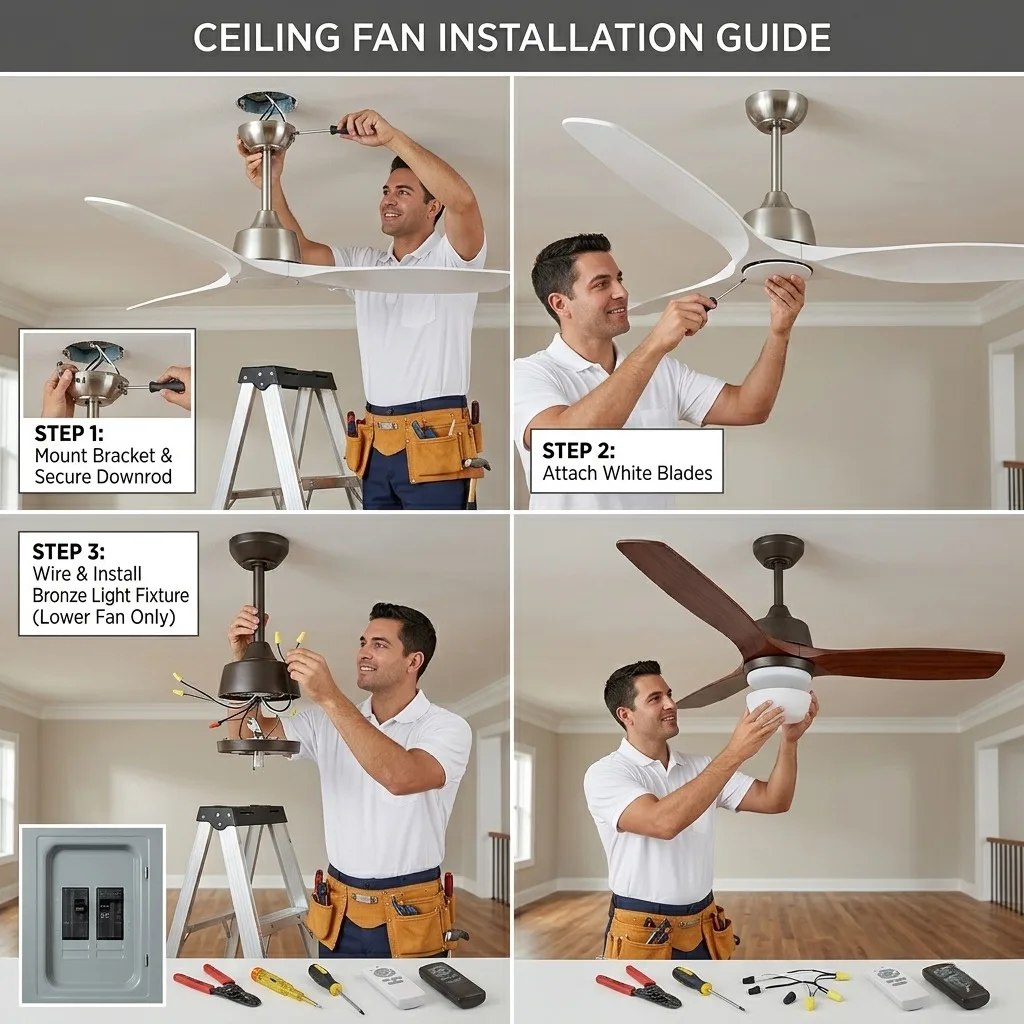
Phase 2: Professional Installation Steps
Assemble the Blades Carefully: When attaching the solid wood or ABS blades to the motor housing, use a hand screwdriver rather than a power drill to avoid over-tightening and warping the blade brackets.
Hang the Motor: Lift the motor assembly and set the downrod ball into the mounting bracket slot. You should hear/feel it “lock” into place.
Wire for Success: In 2026, most modern DC fans feature plug-and-play wiring harnesses. Ensure all wires are tucked neatly into the canopy to avoid interference with the motor’s rotation.
Phase 3: How to Balance a Wobbly Fan
If your fan shakes when you turn it on, don’t panic.
Follow these steps:
Step 1: The Cleaning Check. Sometimes, a simple accumulation of dust on one blade can throw off the center of gravity. Clean your blades first!
Step 2: Measure Blade Height. Use a yardstick to measure the distance from the tip of each blade to the ceiling. If one blade is lower than the others, gently adjust the blade bracket.
Step 3: Use a Balancing Kit. Most premium fans come with a balancing kit (a plastic clip and weighted magnets).
Place the clip on the center of one blade and turn on the fan.
Repeat for each blade until you find the one where the clip reduces the wobble.
Move the clip along that blade to find the “sweet spot,” then peel and stick the permanent weight in that location.
Phase 4: Why DC Motors Wobble Less
One of the major benefits of modern DC motor ceiling fans is their internal balancing.
DC motors are lighter and more precisely engineered than old AC motors, meaning they naturally have a more stable center of rotation.
Conclusion
A perfectly balanced fan not only looks better but also extends the life of your integrated LED and motor. By taking an extra 15 minutes during installation to ensure everything is tightened and leveled, you can enjoy years of silent, steady airflow.
[Still haven’t found the perfect fan? Browse our Silent DC Motor Collection]