

Here’s how to change the rotation direction of a ceiling fan, along with why you’d want to.
⚠️ First: Safety is Essential
Turn off the power at the wall switch and at the circuit breaker. Never attempt to change settings while the fan is running or with power flowing to it.
Let the blades come to a complete stop.
Method 1: The Wall Switch or Remote Control (Easiest)
Many modern fans have a reverse function built into their controls.
Look for a “Reverse” button on your remote control.
Some wall control panels have a specific “Reverse” switch.
Press the button or flip the switch. You may hear a slight click from the fan motor.
Method 2: The Switch on the Fan Housing (Most Common)
This is the standard method for most ceiling fans.
Locate the reversing switch. After ensuring the power is OFF, stand on a secure ladder. Look at the fan’s motor housing (the part the blades attach to).
The switch is often:
On the side of the motor housing, or
Just below the blade irons, or
Inside a sliding door in the housing.
Flip the switch. It will slide or toggle from one side to the other (often labeled “Summer” and “Winter” or “Up” and “Down”).
Restore power and test. Turn the power back on and run the fan at a low speed to see the new direction.
Method 3: The Pull Chain (Common on Older/Single-Switch Fans)
Some fans use the pull chain to reverse direction in a specific sequence.
Turn off the fan using the pull chain.
Wait 5-10 seconds for the motor to reset.
Pull the chain twice quickly (e.g., Off -> High -> Off). The fan should now start in the opposite direction when you pull the chain again to turn it on. (Consult your fan’s manual, as sequences can vary.)
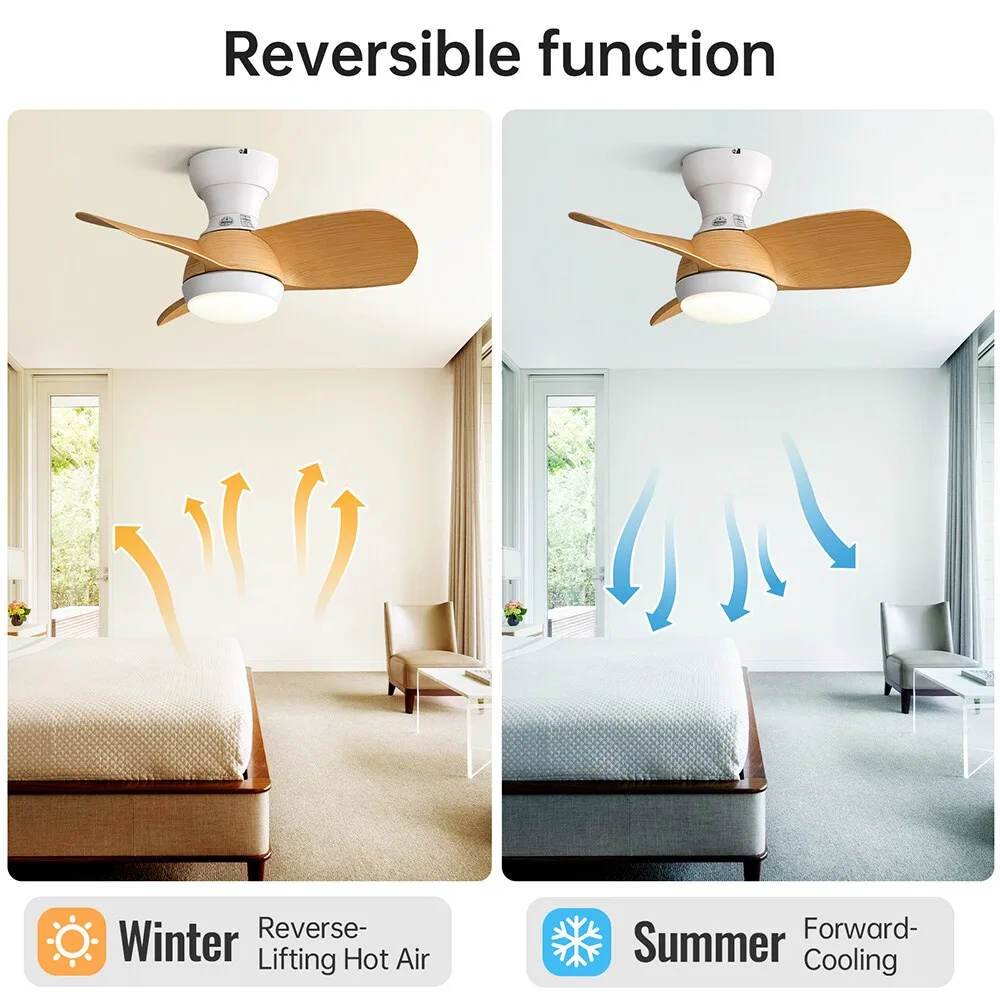
Why Change the Direction?
Summer (Counter-Clockwise): When standing under the fan looking up, the blades should spin counter-clockwise. This creates a cooling downdraft, making you feel cooler through a wind-chill effect.
Winter (Clockwise): The blades should spin clockwise. This draws cool air up and pushes the warm air that rises to the ceiling out along the walls, gently recirculating warm air without creating a draft. Run the fan at its lowest speed for this.
Visual Trick: Before turning it on, you can gently push a blade to see which way it will spin.
Troubleshooting
Won’t Fan reverse? Ensure power is completely off and back on. The switch on the housing might be faulty, or the internal mechanism may need service.
No switch found? Your fan may not have a reverse function (common with very basic models). Check the manual.
Summary: Turn off the power, find the switch on the motor housing and flip it, or use the remote/wall control. Counter-clockwise for cooling in summer, clockwise for warm air circulation in winter.