

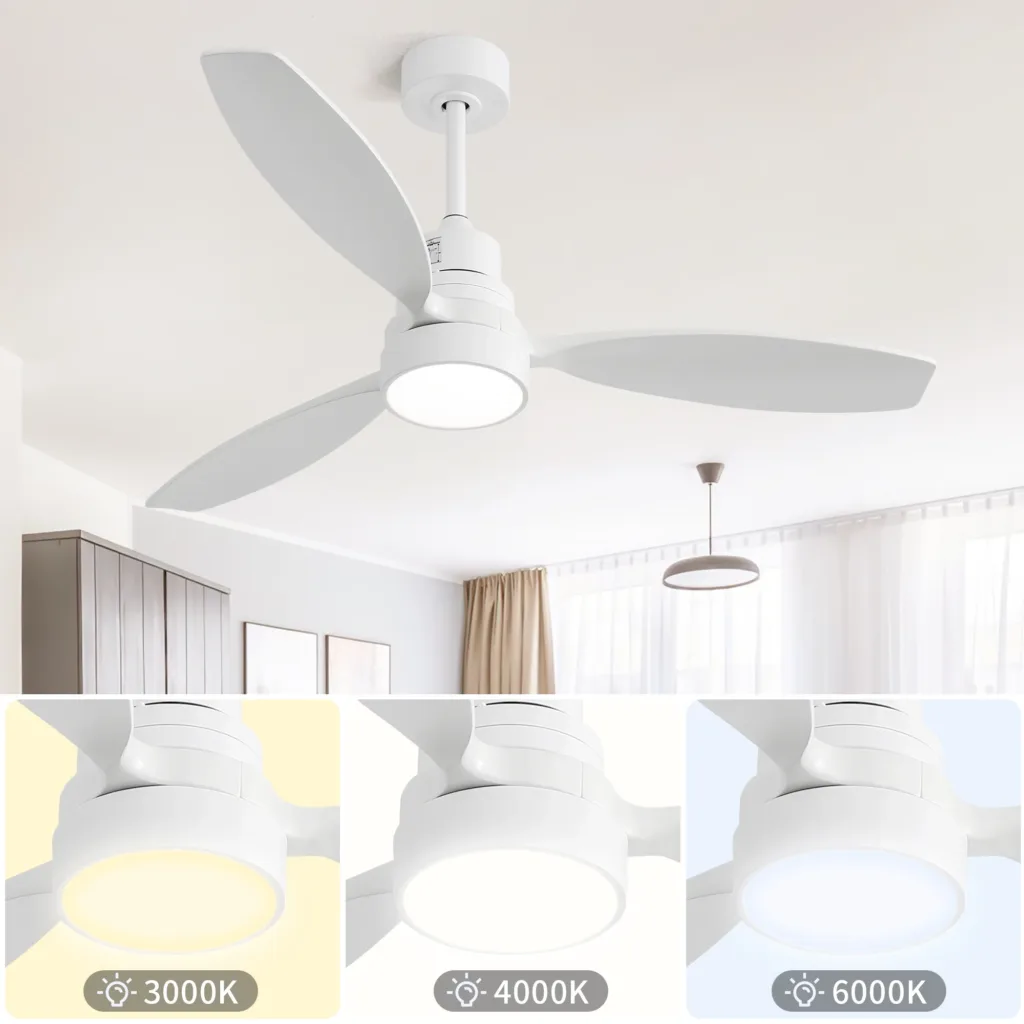
The installation of a modern white ceiling fan equipped with LED lighting (commonly referred to as a “ceiling fan light”) requires careful attention to both structural stability and electrical safety.
The following outlines the installation steps and key considerations:
Preparation
Power Disconnection: Turn off the circuit breaker corresponding to the circuit being worked on, or shut off the main power supply, to ensure operational safety.
Accessory Check: Verify that all components—including the ceiling fan unit, LED light assembly, fan blades, mounting bracket, screws, wiring, etc.—are present and undamaged.
Tool Preparation: Gather necessary tools such as an electric drill, screwdriver, wire cutters, electrical tape, wire nuts, a spirit level, insulated gloves, and similar items.
Determining the Installation Location
The ceiling fan must be installed on a load-bearing ceiling structure (such as concrete or solid wood joists); it must not be mounted directly onto a gypsum board (drywall) ceiling.
If installing into a suspended ceiling, you must locate the internal load-bearing structure; use an extended downrod passed through an opening in the suspended ceiling to secure the mounting bracket to the structural support above.
Recommended Installation Height: The fan blades should be positioned 2.5 to 3 meters above the floor, with a clearance of 400 to 500 millimeters between the blades and the ceiling.
Installing the Mounting Bracket and Downrod
Drill pilot holes at the designated location using an electric drill, and securely fasten the mounting bracket using expansion bolts or wood screws (the mounting point must be capable of supporting a load of ≥16 kg).
Thread the motor wires through the hollow interior of the downrod; then, connect the downrod to the motor’s mounting yoke and securely insert the safety locking pin.
Connecting the Wiring
Connect the wires according to standard color-coding conventions:
Live Wire (L, typically black) → Connect to the black wire from the ceiling fan motor + the black wire from the LED light (if there is a separate control wire—e.g., blue—it must also be connected here).
Neutral Wire (N, white) → Connect to the white wire from the ceiling fan and the white wire from the LED light.
Ground Wire (PE, yellow/green or bare copper) → Connect to the grounding terminal or the metal junction box.
Use wire nuts to join the connections, and wrap them with electrical tape to ensure that no bare copper wire remains exposed. Assembly and Mounting
Attach the fan blades to the blade arms, ensuring they are mounted symmetrically and evenly to prevent vibration during operation.
Mount the motor onto the ceiling bracket, verifying that the locking clips are securely engaged.
Installing the LED Light Cover: Most modern ceiling fans with lights feature magnetic or clip-on LED light modules, which can be easily attached, detached, and replaced.
Testing and Adjustment
Restore power to the unit. First, verify that the LED light turns on correctly; then, start the fan and test each speed setting sequentially.
If any wobbling or unusual noises occur, the fan blades require balancing (the included balancing kit may be used for this purpose).
Check that the remote control or wall control unit can independently adjust both the lighting and the fan speed.
Important Considerations
Safety First: Always ensure the power supply is disconnected before performing any work. Non-professionals are advised to enlist the assistance of a qualified electrician for wiring connections.
Structural Support: Ceiling fans are heavy; they must be securely mounted to a load-bearing structural element to prevent the risk of detachment.
LED Light Replacement: If the LED light fails to illuminate while the fan continues to operate normally, the LED light module is likely defective. It can be replaced by following the steps outlined above (ensure the replacement module matches the dimensions and that the power is disconnected before proceeding).
Regular Maintenance: Every six months, check the tightness of all screws, and clean the fan blades and light cover to prevent dust accumulation from affecting the fan’s balance and lighting performance.